We helped 75+ brands generate $1.56M+ in revenue. Average ROI: 240% in Year 1
You've heard that SEO is important. You know your website needs to rank on Google. But when you actually sit down to figure out what to fix — it feels overwhelming.
Meta tags. H1 tags. Schema markup. Alt text. What does any of it actually mean, and where do you even start?
Here's the good news: on-page SEO is not as complicated as it sounds.
Most of it comes down to making sure your website clearly communicates what you do, where you are, and why customers should trust you — to both Google and the people visiting your site.
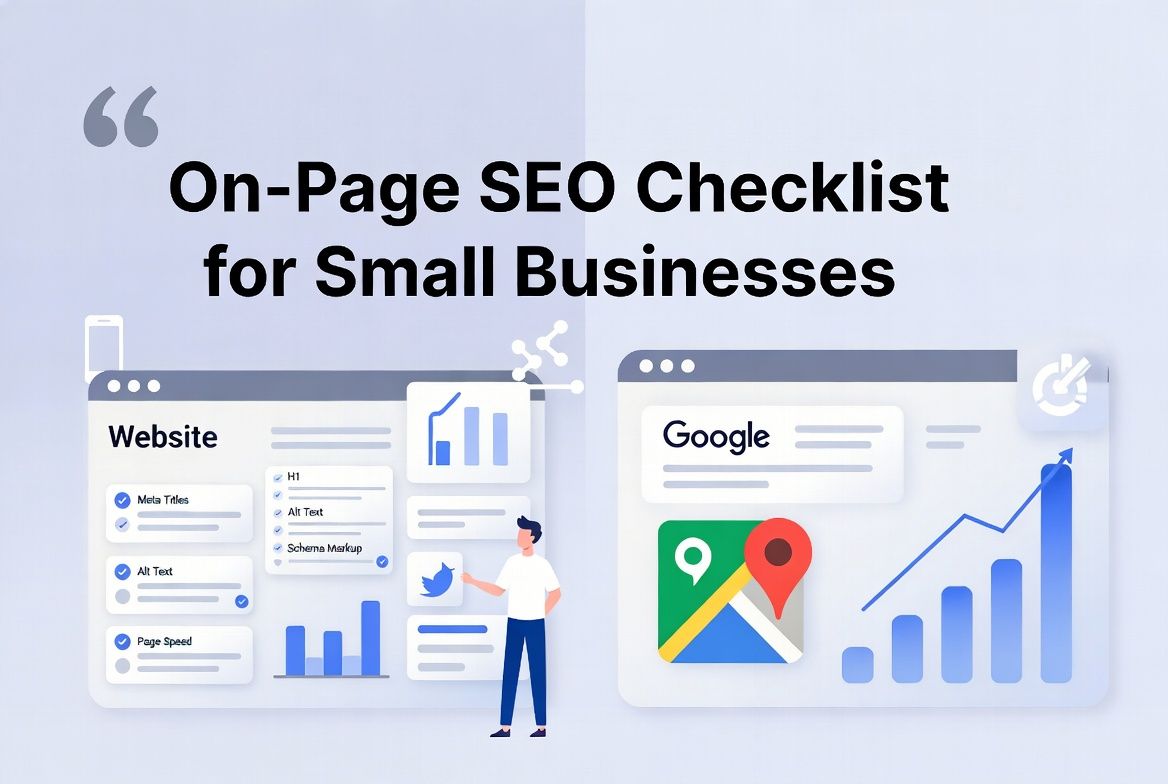
This checklist breaks it down into 10 clear, actionable items. Work through them one by one and you'll have a website that Google can actually understand — and rank.
💡 AheadTech360 Insight
At AheadTech360, on-page SEO is one of the first things we tackle for every new client. In our experience, most small business websites are missing at least 6 of these 10 items — which means there's a significant ranking opportunity just waiting to be unlocked.
On-page SEO refers to everything you can optimize directly on your website to improve its visibility in search engines. It's the opposite of off-page SEO, which involves things like backlinks from other websites.
On-page SEO matters because Google sends bots (called crawlers) to read your website and decide what it's about, how relevant it is to certain searches, and how trustworthy it is.
If your website doesn't clearly signal these things, Google won't rank it — no matter how good your business actually is.
Think of on-page SEO as making sure your storefront has a clear sign, a readable menu, and organized shelves — so that both customers and Google can find what they're looking for instantly.
Your meta title is the blue clickable headline that appears in Google search results. It's one of the strongest on-page ranking signals. Every page on your website should have a unique, keyword-rich title that tells Google exactly what that page is about. Keep it under 60 characters so it doesn't get cut off in results.
✅ Quick Win: Include your primary keyword near the beginning of the title. Example: 'Plumbing Services in Austin, TX | [Your Business Name]'
The meta description is the short paragraph that appears below your title in Google search results. While it doesn't directly impact rankings, it dramatically impacts click-through rates — meaning more people click your result when the description is compelling. A good meta description tells the searcher exactly what they'll get and gives them a reason to click.
✅ Quick Win: Write a 150–160 character description that includes your keyword, a clear benefit, and a soft call to action like 'Learn more' or 'Get a free quote today.'
💡 AheadTech360 Insight
AheadTech360 always writes custom meta titles and descriptions for every service page and blog post we manage — because a well-written meta description can double your click-through rate without changing your ranking at all.
The H1 is the main heading on your page — the big bold title readers see when they land on your content. Google uses it to understand what the page is primarily about. Every page should have exactly one H1, and it should include your primary keyword naturally. Avoid having multiple H1s on a single page — it confuses both Google and your readers.
✅ Quick Win: Make sure your H1 matches or closely relates to your meta title. Example H1: 'Reliable Emergency Plumbing Services in Austin, Texas'
Google needs to see your target keywords in your content to understand what your page ranks for — but keyword stuffing (forcing keywords in unnaturally) will hurt you more than help. The goal is natural, helpful writing that uses your primary keyword once or twice and related keywords throughout. Write for your reader first. Google will follow.
✅ Quick Win: Aim to include your primary keyword in the first 100 words of your content, in at least one H2 heading, and naturally 2–4 more times in the body.
Every image on your website should have alt text — a short description of what the image shows. Google cannot see images the way humans do; it reads the alt text to understand what the image is about. Alt text also improves accessibility for visually impaired users. It's one of the most commonly missed on-page SEO elements.
✅ Quick Win: Keep alt text descriptive and natural. Example: 'licensed electrician installing panel in Austin home' — not just 'electrician' or 'image1.jpg'
💡 AheadTech360 Insight
One of the most common issues AheadTech360 finds during website audits is images with no alt text — or alt text that just says 'image' or the file name. It's a small fix that adds up to significant SEO value across an entire site.
Google considers page speed a direct ranking factor. A slow website frustrates users and gets penalized in search results. More importantly — 53% of mobile users abandon a page that takes more than 3 seconds to load. Every second of delay costs you potential customers. Common speed killers include uncompressed images, heavy plugins, and poor hosting.
✅ Quick Win: Test your site speed at PageSpeed Insights (free from Google). Aim for a score above 80 on mobile. The biggest quick win is usually compressing your images before uploading them.
Over 70% of local searches happen on mobile phones. Google now uses mobile-first indexing — meaning it primarily uses the mobile version of your website for ranking purposes. If your site looks broken, crowded, or hard to navigate on a phone, you are losing both rankings and customers simultaneously.
✅ Quick Win: Test your website on your own phone right now. Can you easily read the text? Are the buttons large enough to tap? Does the layout make sense? If not — it needs fixing before anything else.
💡 AheadTech360 Insight
AheadTech360's web development team builds every site mobile-first by default — because a website that doesn't work on a phone isn't really a business asset in 2026. It's a liability.
Internal links are links from one page on your website to another page on the same website. They help Google discover and understand all your pages, distribute ranking power across your site, and guide visitors deeper into your content. Every blog post should link to a relevant service page. Every service page should link to related blog content.
✅ Quick Win: When you publish a new blog post, go back to 2–3 older pages and add a link to the new post where it's relevant. This simple habit builds a powerful internal linking web over time.
Schema markup is a piece of code you add to your website that helps Google understand structured information — like your business name, address, phone number, opening hours, reviews, and service types. It's what powers rich results in Google — the star ratings, FAQs, and featured snippets you see in search results. It's one of the most powerful and underused on-page SEO tools.
✅ Quick Win: Start with LocalBusiness schema on your homepage and contact page. Add FAQPage schema to blog posts with FAQ sections. Use Google's Rich Results Test to verify your markup is working correctly.
💡 AheadTech360 Insight
Schema markup is something AheadTech360 implements on every website we optimize — and it consistently produces one of the highest ROI improvements. Pages with proper schema often see a jump in click-through rate because they stand out visually in Google results with stars, FAQs, or price information.
Your URL structure tells both Google and users what a page is about before they even click. A clean URL is short, readable, and includes your target keyword. Messy URLs with numbers and random characters make it harder for Google to understand your page structure and harder for users to remember or share your links.
✅ Quick Win: Good: aheadtech360.com/blog/on-page-seo-checklist — Bad: aheadtech360.com/p?id=4782&ref=blog. Change your page slugs to match your target keywords wherever possible.
There's one on-page element that doesn't make most checklists — but it can make a significant difference, especially in 2026.
It's your content's E-E-A-T signals.
E-E-A-T stands for Experience, Expertise, Authoritativeness, and Trustworthiness
Google uses these signals to evaluate whether your content comes from a real, credible source — or just a website trying to rank.
For small businesses, this means:
Adding a real About page with team photos and bios
Including your business address and phone number on every page
Showcasing real client reviews and testimonials
Linking to reputable external sources in your blog content
Showing real results — case studies, before/after, specific outcomes
These aren't just trust signals for your visitors. They're ranking signals for Google. And they're exactly what AheadTech360 helps clients build as part of every complete SEO strategy.
On-page SEO is not a one-time task. It's an ongoing process of making your website clearer, faster, more helpful, and more trustworthy — for both Google and your visitors.
The businesses that work through this checklist consistently — and keep their website optimized as they grow — are the ones that build lasting search visibility.
You don't have to do it all at once. Pick two or three items from this list today and start there. Small, consistent improvements compound over time into significant results.
A website Google can read is a website Google can rank.